At long last, it’s time to share the steampunk observatory I showed off over two weeks ago. Took me long enough to organize the post, eh? x) It started out humbly enough, but soon grew into a whole multi-part project. This is part 1 of 3 (yes, three), and since I still hate Tumblr’s 10-image-limit and the few pics up there don’t do the lot justice, I also made a post at PlumbBob Keep where I could add all the pics I wanted. So please head over there if you want more pics and more detailed descriptions, or refer to my previous photoset of the observatory for exterior shots.
INFO: The house is on a 4×4 lot and comes in two flavors: furnished and unfurnished. The furnished lot costs
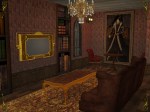
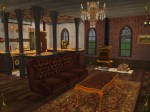
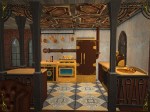
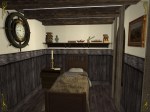
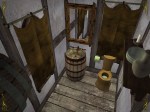
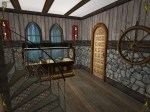
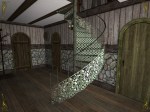
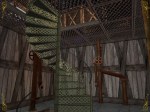
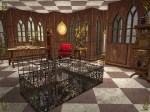
$106,435 and the interior looks as shown above. The unfurnished lot costs $45,160. Neither lot has been played prior to packaging, and both versions include a separate folder with master meshes & required recolors in the download.
Noteworthy features: The observatory that’s attached to the house is accessible & usable!…well, sort of. It’s a deco-only rabbit hole converted by Delonariel so it’s not usable per se, but I made it accessible to sims by building a little platform
around the outer side. Sims’ feet will bleed a bit into the platform, but they can still walk on it and use it as normal. I also plopped a telescope on the platform since it’s a nice, elevated spot. It’s accessible only from inside the house, via a floaty bridge on the house’s fourth floor.
Disclaimer: The lot doesn’t look exactly like in the pics. Remember how the original house was on a beach lot, and how I mentioned finding a workaround so I could share it? Well, said workaround included rebuilding the whole house on a regular lot. I followed my original floorplan to the letter so the regular lot looks identical to the beach lot (with the exception of the beach of course). The only real downside of this setup is that I had to dig a hole for the observatory to align to the house’s 4th floor, but I don’t find that to be too big of a deal breaker, personally. You can always mask the hole with some creative landscaping. My beta tester @alexbgd, for example, added a nice little forest around the house and masked the dreaded hole with a nifty fog effect, like so:
(Thank you again for testing the lot for me, Alex!)
A FINAL NOTE: I sometimes bundle files in my game for better/faster performance. This usually includes wall and floor sets and sometimes recolors of objects. I rename these files to include the word ‘BUNDLE’ in their filenames to make them more easily recognizable. If you decide to keep a bundled file in your game, DO NOT attempt to delete the individual recolors of the bundle with the in-game delete button. Also, if you already have certain files in your game but decide to keep my bundle instead, make sure to delete the original files to avoid duplicates.



 aysexycosplay